

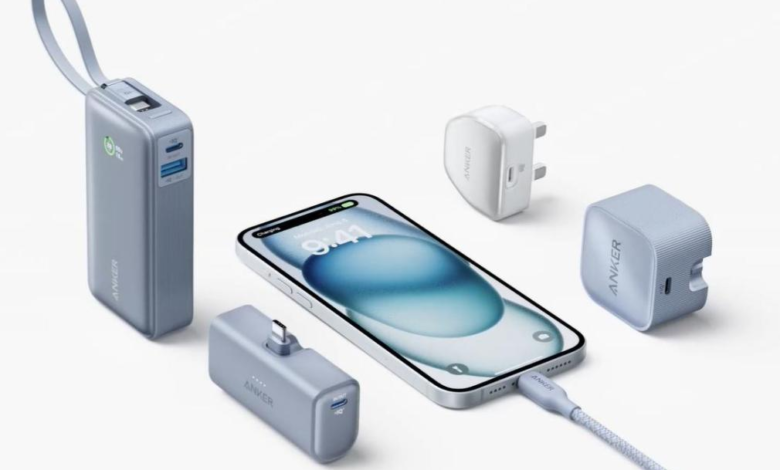
USB-C chargers now power phones, tablets, laptops, earbuds, and even some monitors. Users face a wall of specs: watts, volts, GaN, PD, PPS, and multi-port bricks. Many people still plug in and hope for the best, but choosing the right USB-C charger actually saves time, protects batteries, and cuts clutter. This guide breaks down the main USB-C charger types with a focus on GaN and multi-port designs. You’ll see how they work, what makes them different, and which one fits your devices and daily routine so charging becomes simple and reliable.
Understanding USB-C Chargers and Core Types
What Makes USB-C the New Charging Standard
USB-C uses a small, reversible connector that fits either way, which removes guesswork and reduces port wear. It supports USB Power Delivery (USB‑PD), a smart charging standard that lets devices and chargers negotiate the best voltage and current. Phones, laptops, and accessories can all use the same cable type, which cuts down on e-waste and travel clutter. USB-C also carries data and video, so one port can handle charging, file transfers, and external displays. USB-C supports higher power levels, often up to 100W or more, so one charger can power both a smartphone and a full laptop.
Main USB-C Charger Types You Should Know
USB-C chargers fall into a few clear categories. Standard USB-C wall chargers offer one port and modest power, usually 20–30W, ideal for phones and small tablets. High‑wattage USB-C laptop chargers deliver 45–100W or more, often with USB‑PD and PPS for fast charging compatible devices. GaN (gallium nitride) chargers replace traditional silicon components and pack more power into smaller bricks. Multi-port USB-C chargers combine two or more USB-C and sometimes USB‑A ports for charging several devices at once. Portable travel chargers, desktop hubs, and docking station chargers add data and display output ports, but GaN chargers and multi-port chargers are sufficient for most needs.
GaN Chargers: The Future of Fast and Efficient Charging
How GaN Technology Improves Speed and Efficiency
GaN chargers use gallium nitride instead of silicon inside their power transistors. GaN switches electricity faster and with less resistance, so the charger wastes less energy as heat. That higher efficiency lets the circuit handle more power in less space. A GaN charger still follows USB‑PD rules, so it does not “force” extra speed into your device. Instead, it can safely deliver higher wattage levels that compatible phones and laptops request for fast charging. GaN chargers often reach 65W, 100W, or more, while staying efficient at different loads, which helps maintain steady charging performance over time.
Why GaN Chargers Are Smaller, Cooler, and More Powerful
Because GaN components run efficiently at high frequencies, engineers can shrink transformers, capacitors, and other internal parts. That design change makes GaN chargers much smaller than older silicon models with the same wattage. Less wasted energy means less heat, so the case stays cooler, and the charger can safely sustain higher power output. GaN chargers can replace bulky laptop bricks and even power several devices from one compact unit. Users get a light, travel‑friendly charger that still reaches 65W, 100W, or even 140W, enough for demanding laptops, tablets, and phones, without sacrificing safety or long‑term reliability.
Multi-Port USB-C Chargers: Convenience and Power Combined
How Multi-Port Chargers Manage Power Across Devices
Multi-port USB-C chargers contain an internal power management controller that allocates wattage to each port. When you plug in one device, the charger can direct most or all of its rated power to that single port. Add a second or third device, and it automatically redistributes power to stay within its total limit. Many chargers follow fixed “power split” rules based on which ports you use. Some newer models use dynamic power sharing, shifting watts in real time as devices charge or reach 100%. USB-PD communication ensures each connected device receives a safe, compatible charging profile, making a type c charger a practical solution for modern setups.
When to Choose a Multi-Port Charger for Daily Use
A multi-port charger suits anyone who charges several devices at once in one spot. If you often power a laptop, phone, earbuds, and maybe a tablet at your desk or bedside, one multi‑port block reduces cables, outlets, and clutter. When choosing a multi-port charger, pay close attention to two parameters: total wattage and per‑port limits. For example, a 100W charger that supports 65W on one port and 20–30W on others can handle a work laptop and phone together. Households with mixed ecosystems, like Android phones, iPads, and USB‑C laptops, also benefit. You plug everything into one hub, instead of juggling multiple single‑port chargers and power strips.
Conclusion
USB-C changed charging by bringing one small, reversible connector to phones, tablets, and laptops, with smart power negotiation through USB‑PD. GaN chargers push that progress further by shrinking size, cutting heat, and supporting higher wattages in a compact form, ideal for powerful laptops and frequent travelers. Multi‑port USB-C chargers add everyday convenience, letting you charge several devices at once from a single wall outlet. When you choose a charger, match its total wattage and port layout to your gear. With the right GaN or multi‑port USB-C charger, you gain faster, safer, and more organized charging for every device.