
Service Schedule Software: Streamline Maintenance Planning and Workforce Dispatch

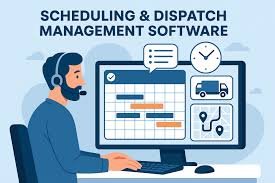
You manage appointments, crews, and customer expectations all at once — service schedule software helps you do that faster and with fewer mistakes. The right scheduling system automates bookings, matches jobs to available technicians, and reduces downtime so your team completes more work with less friction.
This article explains how these tools work, which features matter for your operation, and how to choose and implement a solution that fits your workflows and budget. Expect practical guidance on evaluating mobile capabilities, dispatching, and value for money so you can pick a platform that scales with your business.
Understanding Service Schedule Software
Service schedule software automates appointment assignment, tracks technician locations, and ties jobs to customer records and billing. It reduces manual scheduling, cuts travel time, and keeps accurate service history for compliance and invoicing.
Key Features and Functionalities
You should expect these core features from effective service schedule software:
- Scheduling and Dispatching: Drag-and-drop calendar, automated job allocation, and bulk rescheduling to match skills, certifications, and availability.
- Real-time Location & Status: GPS tracking, live job status updates (en route, on site, completed), and estimated time of arrival for customers.
- Route Optimization: Multi-stop routing that minimizes drive time and fuel cost while respecting time windows and priority jobs.
- Work Order Management: Digital work orders with checklists, attachments, and signature capture to standardize field tasks.
- Customer & Asset Records: Centralized customer histories, service agreements, and asset maintenance logs for faster diagnosis and warranty validation.
- Mobile Access: Native apps for technicians with offline mode, time tracking, photo upload, and parts consumption.
- Integrations & Automation: API or built-in connections to CRM, billing/ERP, inventory, and calendar systems; automated reminders and follow-up actions.
- Reporting & KPIs: Dispatch efficiency, travel hours, first-time-fix rate, and SLA adherence dashboards for continuous improvement.
Types of Service Schedule Software
Different products fit different operational needs; choose based on scale and complexity:
- Field Service Management (FSM) Platforms: Full-featured suites for large teams that include inventory, contract management, and advanced analytics. They suit utilities, telecom, and large HVAC contractors.
- Lightweight Scheduling Apps: Calendar-focused tools for small teams or solo technicians that prioritize simplicity and quick booking over deep integrations.
- Industry-Specific Solutions: Tailored packages for plumbing, electrical, healthcare home visits, and vehicle fleets that include domain-specific forms, certifications, and compliance workflows.
- Maintenance Management (CMMS): Focused on preventive and corrective maintenance for fixed assets, offering work planning, spare-parts tracking, and maintenance schedules.
- Hybrid/Modular Options: Core scheduling modules you can extend with add-ons for payroll, invoicing, or route optimization as your needs grow.
Common Use Cases
Service schedule software addresses specific operational problems you likely face:
- Reducing no-shows and missed appointments by sending automated SMS/email confirmations and technician ETAs.
- Improving technician utilization through skills-based matching and route clustering to increase daily job counts.
- Managing recurring maintenance contracts with scheduled preventative tasks tied to assets and service history.
- Enforcing compliance with digital checklists, time-stamped photos, and audit trails for regulated industries.
- Streamlining billing by generating invoices from completed work orders and syncing hours and parts to accounting systems.
- Supporting remote or hybrid teams with offline-capable mobile apps so technicians can work without a constant network connection.
Choosing and Implementing the Right Solution
Pick a tool that enforces your service agreements, automates routine tasks, and connects to the systems your team already uses. Focus on features that reduce manual work, improve visibility, and make scheduling decisions faster.
Evaluating Essential Criteria
Start by mapping your core scheduling needs: number of technicians, service territories, SLA windows, and peak booking hours. Prioritize features that match those needs — for example, route optimization if you dispatch field crews, or buffer times and resource blocking if you manage shared equipment.
Assess automation: look for automatic conflict detection, intelligent job assignment based on skills and proximity, and SLA enforcement alerts. Check mobile capabilities — technicians must update job status, capture signatures, and attach photos from phones.
Measure value with concrete metrics: expected reduction in travel time, percentage fewer missed appointments, and time saved on schedule creation. Request trial data or a proof-of-concept using a representative week of jobs to validate those metrics before buying.
Integration with Existing Systems
List the systems that must connect: CRM, ERP, inventory, payroll, and your customer portal. Confirm the scheduling software offers native connectors or robust APIs for real-time sync of customer records, parts availability, and billing codes.
Define the data flows up front: which system is the master for customer info, how job completions trigger invoicing, and how inventory reservations occur when parts are assigned. Document field mappings and error-handling rules to prevent duplicate records or missed updates.
Plan integration testing in phases. Start with read-only sync for one data type (customers or technicians), validate updates, then enable two-way updates and automated triggers. Include rollback procedures and monitoring so you can spot sync failures quickly.
User Adoption and Training
Identify user groups and tailor training: schedulers need advanced scenario training, dispatchers need quick conflict-resolution workflows, and field staff need concise mobile task flows. Run role-specific sessions rather than one-size-fits-all demos.
Create short, task-focused job aids: quick-start checklists, two-minute how-to videos for common actions, and a troubleshooting FAQ. Make these resources accessible inside the app or your intranet so users can reference them during live jobs.
Set KPIs to track adoption: percentage of jobs created in the system, mobile check-in rates, and reduction in schedule manual edits. Use a pilot team to collect feedback, iterate on workflows, and identify champions who can coach peers during rollout.