

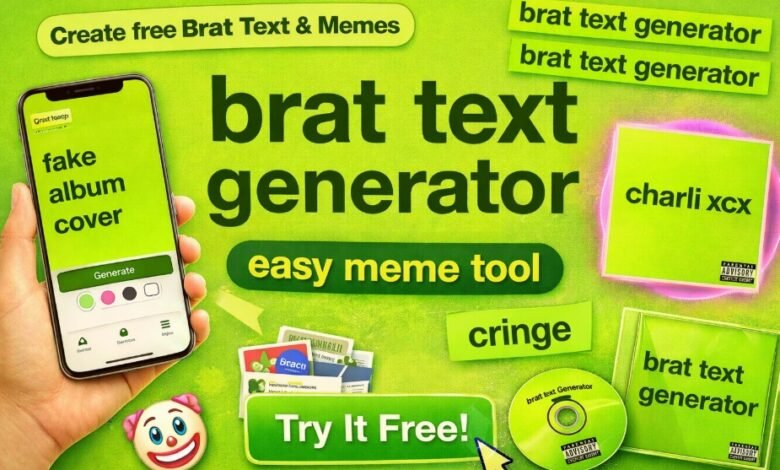
Have you seen those bold green images popping up everywhere with simple lowercase text that just hits different? The brat generator makes it super easy to create your own versions in seconds. It’s all about that Charli XCX vibe from her album cover, but you get to put your own spin on it.
People use the brat generator for fun memes, custom text posts, fake album art, or just to mess around with friends. You type something in, pick a few options if you want, and boom – you have a shareable image ready to go. No skills needed, no complicated steps.
This trend blew up because it’s simple yet addictive. Once you try the brat generator, you’ll keep coming back for more ideas. It’s free, quick, and ideal for anyone who wants to join the brat wave hassle-free.
What Exactly Is the Brat Generator?
The brat generator is a free online tool that replicates the lime-green look from Charli XCX’s Brat album. You enter text, and it turns it into an image with that exact lowercase font style and bold background. Many sites call it a brat text generator, too.
It started as a way for fans to recreate the album art for memes or personal use. Now, tons of versions exist with extra features like colour changes or meme overlays. The core stays the same: a minimal design that stands out.
Think of it as your quick way to make content that feels current and cool. Whether for social media or just laughs, the brat generator delivers every time.
Why the Brat Text Generator Went Viral
That green cover with plain text captured attention fast. It looked raw and confident, which matched the album’s energy perfectly. Fans started making their own versions almost right away.
Social media helped spread it everywhere. People shared funny phrases, song lyrics, or random thoughts in the style. The brat text generator made it possible for anyone to join in without design tools.
It became a meme machine. You see it in reactions, edits, and even political jokes sometimes. The simplicity is what keeps it going strong.
Step-by-Step: How to Use a Brat Generator
Getting your first creation is straightforward. Head to a brat generator site – most are ready in your browser. No downloads required.
- Type your phrase or word in the box. Keep it short for best results.
- The tool auto-converts to lowercase and fits the classic font.
- Hit generate or preview to see it on the green background.
- Download the image or screenshot it to save.
- Share it wherever you want, Instagram, TikTok, or group chats.
Some versions let you tweak colors or add effects. Play around to find what you like best. It takes under a minute once you’re familiar.
Cool Things You Can Make with the Brat Text Generator
The brat generator opens up so many possibilities. Start with basic text for captions or bios. Then level up to full designs.
Try song lyrics line by line for fan edits. Make fake album titles for playlists. Create reaction images with sassy one-liners.
- Memes: Add funny quotes over the green for instant laughs.
- Album covers: Design pretend releases for your music or friends’ tracks.
- Fonts and text: Use it to get that brat font look for other projects.
- Custom messages: Birthday wishes or inside jokes in the style.
- Profile pics: Turn your name or handle into brat art.
These ideas keep users coming back. It’s versatile and always feels fresh.
Tips to Get the Most Out of Your Brat Generator
Want your creations to pop more? Keep text punchy – one to five words works great. Longer stuff can get messy.
Experiment with different shades if the tool allows it. Classic lime green is iconic, but pink or black versions add variety. Center your text for balance.
Save originals before editing further. Screenshot if no direct download. Share early to catch trends while they’re hot.
Practice mixing phrases. Pair opposites for humor or go bold with statements. The more you try, the better your ideas get.
Brat Generator for Memes and Fun Edits
Memes thrive on this tool. The blank canvas lets any joke land hard. People use it for current events, pop culture roasts, or daily life rants.
Overlay text on the green, then add to other images if needed. Some brat generators have built-in meme options. It’s fast for quick content.
Friends love getting tagged in custom ones. It builds inside jokes fast. The brat text generator turns simple thoughts into shareable gold.
Making Album Covers and More with Brat Tools
Pretend you’re dropping an album? Use the brat generator to mock up covers. Type the title, maybe add a subtitle. It looks legit in seconds.
Musicians use it for promo or fan art. Fans make tributes to tracks. It’s a playground for creative covers.
Add your own twist with colors or slight changes. Keep the lowercase vibe for authenticity. Download and use in playlists or posts.
Extra Features in Modern Brat Generators
Many tools now go beyond basic text. You find options for blur effects, font tweaks, or multi-line support. Some handle longer text without breaking the look.
Color pickers let you match moods. Effects like shadows or outlines add depth. These extras make your work stand out more.
Free access means try everything. No paywalls block fun features. It keeps evolving as users ask for more.
Who Loves Using the Brat Generator?
Anyone into trends jumps on this. Charli fans lead the pack, but it spread way beyond. Teens, creators, and casual scrollers all use it.
Social media pros grab it for engagement. It boosts posts with timely vibes. Even non-music people enjoy the clean, bold style.
It’s inclusive no experience needed. That’s why it caught on so wide. Everyone can make something cool fast.
Common Questions About Brat Generators
Is it really free? Yes, core use costs nothing on most sites. Some have premium add-ons, but basics stay open.
Does it work on phones? Most do browser-based means mobile friendly. Design on the go easily.
Can I use it commercially? Check each tool’s rules. Personal and fun use is fine everywhere.
What font is it? Usually, a stretched Arial Narrow or similar to match the original.
These answers cover what most people wonder first.
If you want to confirm your latest SRD application result, you can use the SASSA Status Check to view your current payment status and application updates.
This official process helps applicants quickly see whether their grant is approved, pending, or declined.
It also allows you to track payment dates and banking verification details safely.
You can also apply for an NBI Clearance online to complete important background verification in the Philippines.
This document is often required for jobs, travel, and other official purposes.Using the online system helps applicants check their status and schedule appointments quickly and securely.
Keep Creating and Sharing
Once you start with a brat generator, ideas flow non-stop. Save favorites to build a collection. Come back for new trends.
Tag friends or challenge them to make better ones. It turns into group fun. The cycle keeps the energy alive.
The best part? It’s endless. New phrases, new moods, new shares. Stay in the loop by playing often.
Check RUNT por placa to verify SOAT, technical inspection (tecnomecánica), and other important vehicle details. You can also review traffic fines, legal status, and registration information in Colombia quickly and securely through the official system. This process helps vehicle owners and buyers confirm accurate records before making any decisions
Conclusion
The brat generator gives you a simple way to join one of the biggest visual trends out there. From quick brat text generator edits to full memes and album covers, it covers everything fun and creative. Grab your ideas, fire up the tool, and start making stuff that grabs attention it’s all free and waiting for you.