

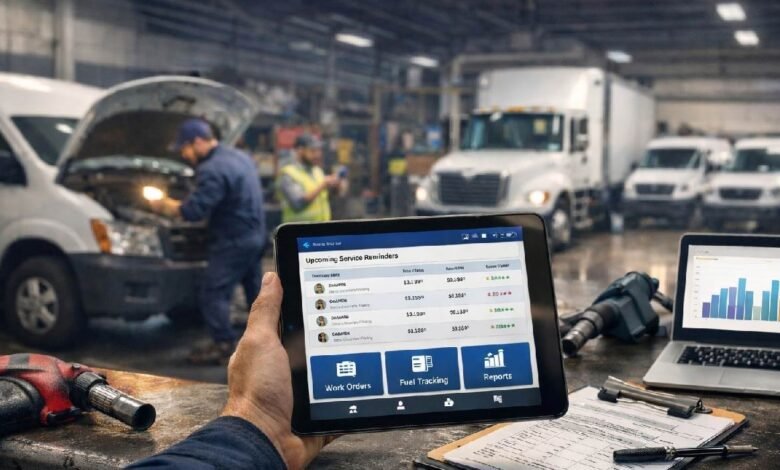
You juggle appointments, crews, and last-minute changes every day. Service scheduling software gives you a single place to book jobs, assign technicians, optimize routes, and track time so you stop wasting hours on spreadsheets and phone tag. Choose the right scheduling solution and you’ll reduce no-shows, cut travel time, and make payroll and dispatch predictable.
This article Service Schedule Software breaks down the key features to look for—real-time dispatch, mobile access, calendar sync, and route optimization—and shows how those features translate into smoother operations and smarter workforce management. Expect practical guidance to help you pick a tool that fits your workflow and delivers measurable time and cost savings.
Key Features of Scheduling Solutions
A strong scheduling solution reduces no-shows, adapts to service cadence, and keeps calendars synchronized across devices and teams. Expect automated communications, flexible repeat intervals, and live calendar syncing that work together to lower downtime and speed dispatch.
Automated Reminders and Notifications
Automated reminders send targeted messages to customers and staff by email, SMS, or push based on rules you set. Configure reminders to go at multiple intervals (e.g., 72 hours, 24 hours, 1 hour) and include appointment details, required preparations, and rescheduling links so recipients can act immediately.
Use templates and conditional logic to vary content by job type, crew, or customer segment. You can enable read receipts and delivery reporting to track whether messages reached recipients. Also set internal alerts for technicians — for new jobs, cancellations, or parts delays — so crews arrive prepared and on time.
Security and compliance matter: choose tools that support encrypted messages and opt-out handling for SMS. Tie reminder triggers to status changes (confirmed, dispatched, completed) to avoid redundant notifications.
Customizable Service Intervals
Customizable intervals let you define how and when recurring services occur: fixed dates, every X days/weeks/months, or dynamic scheduling based on usage data. For preventive maintenance, create rule sets that adjust frequency based on equipment runtime, meter readings, or service history.
Offer multiple recurrence patterns per asset or customer (e.g., quarterly inspection plus monthly consumable replacement). Allow exceptions and blackout dates so you can skip holidays or cluster visits for efficiency. Include automated windowing — the system suggests optimal arrival windows to minimize travel and technician idle time.
Provide visual controls for bulk editing intervals and reporting on upcoming due dates. Ensure interval rules integrate with billing and inventory so invoices and parts reservations generate automatically when a service period arrives.
Real-Time Calendar Integration
Real-time calendar integration syncs schedules bi-directionally with Google Calendar, Microsoft 365, and in-app calendars so everyone sees the same availability. Changes made on a technician’s mobile app — start times, travel adjustments, job completions — update all connected calendars instantly.
Support for timezone handling and location-aware scheduling prevents double-booking across regions. Include visual conflict detection and drag-and-drop rescheduling to resolve overlaps quickly. Use color-coding and layered views (team, route, priority) to give dispatchers immediate context.
APIs and webhooks enable integration with CRM, payroll, and GPS systems so time entries and route data flow into payroll and performance dashboards without manual export.
Benefits for Operations and Workforce Management
You gain clearer visibility into who’s scheduled, where they’re assigned, and how long tasks take. That visibility lets you reduce idle time, control labor cost, and measure individual and team performance with data you can act on.
Resource Optimization
You can match technician skills to job requirements automatically, so certified staff handle safety-critical or specialized work without manual assignment. Use skill tagging and qualifications in the schedule to prevent mismatches and reduce rework.
Automated travel routing and clustered job assignments cut drive time and fuel costs. The system can sequence jobs by location, estimated duration, and SLA priority, so you fit more billable work into each technician shift.
Balance workload by shift and by site with real-time dashboards that show under- and over-staffing. Create rules for overtime, shift length, and on-call rotations to enforce compliance and contain labor spend.
Key capabilities to look for:
- Skill/qualification matching
- Geo-optimized routing
- Shift and capacity constraints
- Real-time availability and swap tools
Performance Tracking and Reporting
You track completed jobs, first-time-fix rates, and mean time to repair (MTTR) using time-stamped events captured by the schedule tool. Those metrics let you pinpoint bottlenecks and training needs rather than guessing.
Run customizable reports that combine schedule data with time clocks and parts usage. Correlate technician utilization with revenue per hour to identify underperforming routes or crew compositions.
Set up automated alerts and KPIs for SLA breaches, excessive travel, or repeated reschedules. Use dashboards to drill from high-level trends down to individual work orders, so you can coach staff or adjust routing rules quickly.
Reports and dashboards to prioritize:
- Utilization and revenue per hour
- First-time-fix and MTTR
- SLA compliance and breach alerts
- Parts consumption vs. scheduled work