

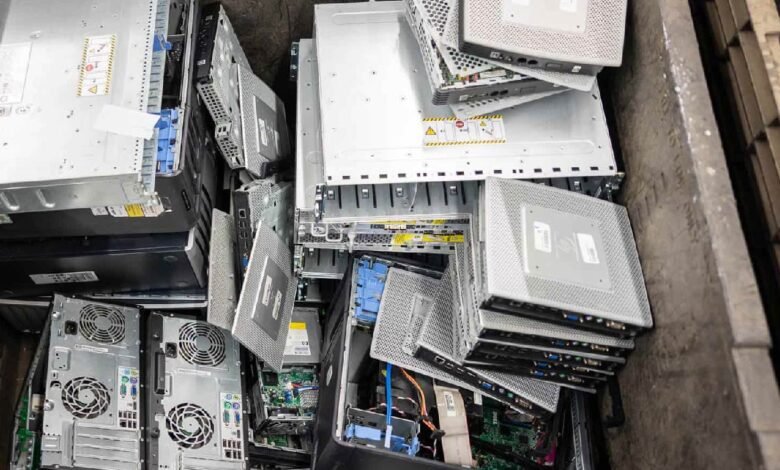
Servers lose much of their value after just 3-4 years. Most companies wait 5-7 years before retiring them. That’s like watching money evaporate from your IT budget.
The stakes are higher than you think. Morgan Stanley learned this the hard way and paid $60 million USD in 2020 and another $35 million USD in 2023 for improper equipment disposal. Ouch.
We’ve put together this piece to show you how proper server disposal can recover value while keeping you compliant. Whether you’re learning about resale options or secure disposal methods, we’ll walk you through the whole server disposal process step by step.
Assess Your Server’s Current Market Value
Before you take a closer look at the server disposal process, you need to know what you’re sitting on. Think of it like selling a car. You wouldn’t list it without checking the mileage, right?
Check Server Age and Performance
Manufacturers push a 3-5 year refresh cycle, but here’s what analysts report: servers can last between 7-10 years. That gap represents potential value you might be leaving on the table.
During the first three years, the server retains significant value, while years four and five see a sharper decline. By leveraging a trusted partner like Big Data Supply, you can strategically dispose of retired servers, capturing maximum value before they settle into parts-based pricing after year six.
Two depreciation methods dominate business calculations. Straight-line depreciation spreads costs evenly across the server’s useful life. Each year, the value drops by the same amount. Declining balance depreciation front-loads the loss. Your server loses value faster upfront, then the rate slows down.
Performance evaluation separates functional units from dead weight. Run power-on tests. Check diagnostics. Document whether systems are active, decommissioned, or collecting dust in storage. Slowing processes, increased downtime, and security vulnerabilities signal a server past its prime.
Evaluate Server Condition and Functionality
Get granular with your inventory. Record make, model, and configuration details. Buyers pay premiums for configured and functioning units. Capture CPU type, RAM capacity, storage specifications, network cards, and firmware versions.
Manufacturing dates and support status create value tiers. Active warranty coverage? That’s top tier. Extended support? Middle tier. Expired warranty? You’re looking at lower returns but still recoverable value.
Physical location and quantity affect sales, too. Consolidate where each asset sits. Bulk lots sell faster and command higher bids. Systems supporting flexible configurations attract refurbishers. Modular blades and chassis-based networking gear hold appeal even when the main chassis is outdated.
Research Current Market Demand
The server market grew by 97.3% in spending during Q2 2025. Unit growth hit 15.9% year over year. The global market was valued at $145.15 billion USD in 2025 and is projected to reach $270.75 billion USD by 2034.
This growth fuels secondary market demand. Server equipment loses value faster once it sits idle past peak market relevance. Newer models entering the market push older units down the value curve. Selling while your servers retain usable market demand gets you better returns than waiting until full obsolescence.
Professional IT asset disposition companies provide free or low-cost valuation services. They use wholesale channel data to estimate current pricing trends. You can also research secondary marketplaces directly. IT Xchange, TechLiquidators, eBay Business Supply, and BrokerBin show real-life resale data. Search by model number and condition to gauge average pricing.
End-of-support announcements from manufacturers drop equipment value sharply. This hits networking equipment and specialized hardware hardest, where security updates and technical support matter most.
Identify Valuable Components
Don’t write off servers just because the complete unit has limited appeal. Internal components hold separate value. CPUs, RAM, power supplies, and RAID cards can be extracted and sold individually.
Server-specific components command respect in the market. RAID controllers allow multiple drives to act as one while correcting errors and maintaining uptime. Dell’s PERC brand controllers, Xeon processors, error-correcting RAM, redundant power supplies, and SAS drives all carry premium pricing.
Remote management capabilities like iDRAC add value. These systems allow power control, log checking, and remote access even when the operating system isn’t working. Just verify all sensitive data gets removed before transferring ownership. Resource recovery from non-functional units still yields recyclable materials.
Metals like aluminum and copper, plus plastics and glass, can be separated for processing.
Take the case of modular systems. Even if the chassis shows its age, individual modules or blades retain worth. This component-level thinking maximizes returns from your secure server disposal efforts.
Data Security Before Server Disposal
Data security isn’t optional when disposing of servers. It’s the line between compliance and catastrophe. Morgan Stanley’s $95 million USD in fines proved that point brutally.
Understanding Data Destruction Standards
Media sanitization removes information from storage so that retrieval or reconstruction becomes infeasible. Think of it as making data recovery impossible, not just difficult.
The National Institute of Standards and Technology sets the gold standard through NIST SP 800-88. This framework outlines three sanitization categories.
Clear applies logical techniques to sanitize data in user-addressable storage locations. Standard read and write commands do the work. You’re rewriting with new values or using factory reset options. This protects against simple, non-invasive recovery attempts.
Purge takes things further. Physical or logical techniques make data recovery infeasible using state-of-the-art laboratory methods. The storage media stay potentially reusable. Purge techniques vary by media type.
Overwrite, block erase, and cryptographic erase use dedicated sanitize commands that bypass normal read/write abstractions. Purge beats clear for security when possible.
Destroy renders recovery infeasible while making the media incapable of storing data afterward.
Shredding breaks devices into fragments. Crushing applies pressure to destroy components. Degaussing uses magnetic fields to erase magnetic media. Incineration burns devices to ash. The DoD 5220.22-M standard offers another approach. This method overwrites data with binary patterns of zeroes and ones.
The 3-pass version works like this: Pass 1 overwrites with binary zeroes. Pass 2 overwrites with binary ones. Pass 3 overwrites with random bit patterns. A 7-pass version exists for higher security needs. Verification happens at the end of every pass. Random characters reduce data recovery probability.
DoD 5220.22-M remains widely viewed as an industry standard for media sanitization despite being nearly 30 years old. Many government agencies and private organizations require its implementation. But NIST SP 800-88 and IEEE 2883 have superseded it for modern storage types.
Certified Data Wiping vs Physical Destruction
You face a choice between two secure server disposal methods. Each serves different priorities. Certified data wiping erases data using software while keeping devices functional for resale or reuse. Costs range from $5 USD to $20 USD per device. Here’s the kicker: you can recover 20-40% of a device’s original value.
The process overwrites every storage sector and makes data impossible to recover. Specialized software performs multiple passes and verification. Physical destruction eliminates resale potential but guarantees data stays gone. Shredding, crushing, or incineration damages storage devices beyond recovery.
This method provides absolute compliance with GDPR, HIPAA, and PCI-DSS for businesses in regulated industries. Data wiping supports device reuse and reduces manufacturing demand while lowering carbon footprint. Physical destruction increases e-waste.
Yet wiping may not be enough for SSDs and damaged drives, where data remnants can persist. The wiping software must adhere to industry standards like NIST 800-88 or DoD 5220.22-M. Your choice depends on data sensitivity, regulatory requirements, and whether you need formal documentation. Physical destruction is often the answer for sensitive data.
Getting Certificates of Data Erasure
Certificates prove your secure server disposal meets compliance standards. NIST sanitization is neither complete nor guaranteed without them. A proper certificate describes sanitization type (Clear, Purge, or Destroy), the method used (degauss, overwrite, block erase, crypto erase), tools used, and verification methods.
Standards like NIST 800-88 and IEEE 2883 require proof of data sanitization through certificates. Many common methods, like factory resets or partial physical destruction, leave recoverable data behind. Certificates must include specific details. Device serial numbers and models. Erasure method used. Pass or fail status.
The standard followed, such as NIST SP 800-88 or ISO/IEC 27040. NIST 800-88 Section 4.6 emphasizes completing a certificate of sanitization for each sanitized device. The certificate should list the manufacturer, serial number, media source and type, sanitization method and technique, software tool and version, verification method, and personnel information.
Many IT asset disposition providers include certified data wiping with serialized tracking and chain of custody documentation. This approach satisfies requirements for HIPAA, GLBA, and various state privacy laws. Certificates serve as documented proof during audits and regulatory reviews.
Organizations must maintain certificates for three years in many cases. R2v3 recycling standards require facilities to verify that downstream vendors provide destruction records for all data-bearing assets. Certificates then protect you from legal issues. They demonstrate due diligence. They prove that the data was destroyed reliably and cannot be recovered using forensic techniques.
Server Disposal Options to Maximize Value
Once you check the data security boxes, you can focus on maximizing returns. Four main paths exist, and each suits different server conditions and business goals.
Reselling Working Servers
Resale works best when your servers are less than five years old, in good working condition, and a market need exists for that model. Age matters because buyers want equipment that still has productive years ahead.
ITAD providers handle the heavy lifting for resale. They review your server’s condition and current market value, perform NIST-compliant data wiping on all drives, and test and refurbish units as needed. They then provide certificates of data destruction even when drives aren’t physically destroyed. The process protects you while opening resale channels.
Resale can offset disposal costs or generate actual returns, especially for enterprise-grade servers from Dell, HP, or Cisco. Resale value remains most substantial for hardware that can be redeployed, refurbished, or remarketed through professional channels. But resale takes longer than recycling, and you won’t always find buyers quickly.
Here’s a sobering fact: over 40% of used devices sold on eBay still contain sensitive data due to improper sanitization. This emphasizes why partnering with certified providers matters more than chasing higher individual sale prices.
Organizations subject to HIPAA, GDPR, PCI DSS, or SOX often avoid consumer marketplaces because establishing buyer verification and sanitization proof becomes challenging.
Recycling Non-Functional Equipment
Recycling becomes the safest path when servers are outdated with no resale value, security policies require physical destruction, or equipment contains sensitive, regulated data. This approach prioritizes security and compliance over value recovery.
Recycling involves breaking down servers into parts. Trained technicians extract motherboards, CPUs, RAM, hard drives, and power supplies. Components get sorted by destination and sent to specialized vendors who complete the recycling process.
The environmental payoff is real. Recycling recovers valuable materials like copper, gold, and palladium that can be reused. It reduces e-waste heading to landfills and lowers the need for mining new resources.
Certified recycling facilities prevent environmental contamination from toxic materials like lead and mercury. This method serves as the gold standard for organizations that cannot tolerate any data recovery risk.
Donating to Educational Institutions
Donation offers tax benefits. You can receive a current market value tax deduction while making equipment available to organizations with limited budgets. Nonprofits like Computers with Causes accept rack-mount servers, tower servers, blade servers, network storage, and switches.
Compudopt provides free pickup for donations of over 25 devices within a 50-mile radius. They wipe all data-bearing devices according to NIST 800-88 PURGE standards and provide certificates of erasure on request. Kramden operates in a similar fashion and picks up approximately 20 computers or more.
Technical schools benefit tremendously. Students gain hands-on experience with virtualization, clusters, and enterprise-grade hardware. The equipment supports project work and capstone courses where students build real environments.
But donation carries risks. Data can often be recovered using forensic tools even after file deletion or reformatting. You may face legal or regulatory consequences if donated equipment later surfaces with sensitive data.
Older servers might be too outdated or power-hungry to provide real value to recipients. If you donate, perform certified data destruction first, verify the recipient can use the equipment, and document everything.
Component-Level Recovery
Sometimes the whole server holds little appeal, but individual parts command strong prices. High-performance processors are in demand. RAM modules with higher capacities or specific speeds attract buyers. SSDs and high-capacity HDDs remain sought after.
Extracting and selling components separately can yield higher returns than selling the complete unit. This strategy works well when the chassis or overall system shows its age, but internal components still perform well.
Conclusion
Right now, you have everything needed to turn aging servers into recovered value rather than wasted assets. Server disposal doesn’t have to drain your budget or expose you to compliance nightmares.
Start by assessing what you have. Follow proper data destruction protocols. Choose the disposal path that matches your equipment condition and business goals. Partner with certified professionals who handle the heavy lifting.
Morgan Stanley’s $95 million USD mistake taught us that cutting corners costs more than doing it right. Don’t wait until your servers are worthless. Work with experienced partners who maximize returns and keep you compliant. Your move matters. Act while value remains.