
Why AI Talking Avatar Generators Are Replacing the Camera for Smart Content Creators

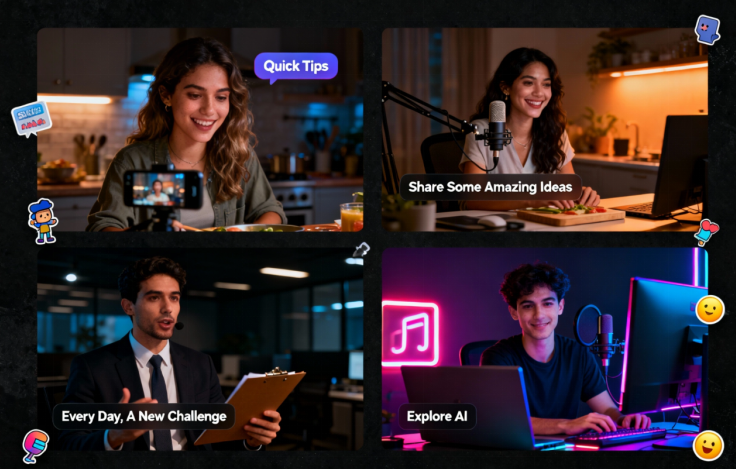
There’s a moment every content creator knows well: you have something important to say, the script is written, the idea is solid — and then you spend two hours setting up lights, recording seventeen takes, and editing out every “um” and background noise. By the time the video is ready, the momentum is gone.
That bottleneck is disappearing. A new generation of AI talking avatar generators is quietly replacing the camera for a growing number of creators, marketers, and educators — not because the technology is flashy, but because it works well enough to stop being a compromise and start being a preference.
What an AI Talking Avatar Generator Actually Does
Strip away the jargon, and the concept is straightforward. You provide a face — either a photo, a pre-built avatar, or a generated persona — and pair it with a script or audio file. The AI produces a video where that face speaks your content with natural lip movement, realistic facial expression, and human-like timing.
No actor to hire. No camera to set up. No editing timeline to wrestle with.
What makes this category different from earlier text-to-video experiments is the quality threshold it’s crossed. Earlier tools produced results that felt mechanical — stiff lip movement, dead eyes, audio that didn’t quite land on the syllables. Modern systems handle micro-expressions, blink timing, and phoneme-level lip sync in a way that reads as natural on a laptop screen or a phone feed.
The practical result: a polished, presenter-led video that most viewers won’t identify as AI-generated unless you tell them.
Real Use Cases Where AI Talking Avatar Generators Are Making an Impact
The most revealing way to understand a tool is to look at who’s actually using it — and what problem it solved for them.
Social Media Content at Scale
A fashion accessories brand in Singapore was publishing two to three product videos per week across Instagram and TikTok. Each one required booking a presenter, arranging a shoot location, editing, and captioning. The per-video cost hovered around $400–600. More critically, the turnaround time averaged four to five days, which made it nearly impossible to respond to trending moments or seasonal spikes.
Switching to an AI avatar workflow brought that turnaround to under 24 hours for standard product videos. The brand now publishes daily across platforms during campaign periods, using the same avatar persona they’ve built audience familiarity with. Engagement didn’t drop. In several cases, the consistency of the avatar — same face, same tone, same style — actually improved comment rates because followers began to recognize the “presenter” as a character.
Tutorial and Educational Content
Online educators face a specific problem: their content has a long shelf life, but updating it is expensive. A recorded module from 18 months ago might have a policy change, a pricing update, or an outdated interface screenshot buried in minute seven. Re-recording the whole segment to fix two sentences isn’t economically sensible.
With an AI talking avatar generator, instructors can regenerate only the segment that needs updating — same avatar face, new audio, seamless replacement. The rest of the course remains intact. This changes the economics of educational content dramatically: high-quality video courses can be maintained rather than replaced.
Video Ads Without a Production Budget
Early-stage startups and solo founders consistently deprioritize video advertising because the production cost is hard to justify before product-market fit is confirmed. A reasonable brand video shoot can run $2,000–$8,000 before post-production. That budget can make or break a bootstrapped operation’s marketing runway.
AI avatar tools let founders test video ad creatives before committing to production spend. A founder can generate five different 30-second ad scripts, render each as an avatar video, run them as paid social tests, and then — only after knowing which message converts — invest in a higher-production version if they want one. The testing phase costs a fraction of what the final shoot would.
What Sets a Good AI Talking Avatar Generator Apart from a Mediocre One
Not all tools in this category deliver equivalent results. The gap between a convincing output and an uncanny one usually comes down to a handful of specific quality signals.
Lip Sync Fidelity
The most visible failure mode in avatar video is lip movement that doesn’t match the audio — either lagging behind, slightly off-phoneme, or moving in a rhythm that doesn’t match natural speech. High-quality generators process audio at the phoneme level rather than applying a generic “talking” animation loop. The difference is immediately visible when you put two outputs side by side.
Natural Head and Expression Movement
A face that holds perfectly still while talking reads as robotic within seconds. Natural conversation involves micro-movements: small head tilts, blink variations, slight changes in expression between sentences. Better systems generate these automatically. Lower-quality tools skip them to reduce compute cost, which produces a result that looks like a mask rather than a person.
Script and Audio Flexibility
The most versatile tools accept multiple input modes — typed scripts (with text-to-speech), uploaded audio files (your own voice), and sometimes direct microphone recording. This matters because different workflows require different inputs. A marketing team working with a professional voiceover file has different needs than a solo creator typing a script at midnight.
Output Quality for Professional Use
For anything beyond casual social content — presentations, ads, client-facing videos — 1080p minimum is the baseline expectation. Tools that cap at a lower resolution become a liability the moment your video appears on a larger screen.
LipSync Video’s talking avatar tool is built around all four of these parameters, with particular attention to the lip sync layer that most tools handle poorly — which is also the element viewers notice first when something feels off.
The Practical Case for Removing the Camera from Your Workflow
There’s a reasonable objection to this entire category: doesn’t video lose something when a real person isn’t in front of the camera?
For some content, yes. A founder’s authentic product launch video, a personal narrative, a live Q&A — these carry credibility precisely because a real human is visibly present. No avatar replaces that.
But that’s a narrow slice of the total video content most organizations actually need. Product walkthroughs, FAQ responses, onboarding sequences, ad variations, multilingual versions of the same content — these don’t gain meaningfully from having a live human on camera. They gain from being clear, consistent, professional, and fast to produce.
For all of that content — which is the majority of video output for most brands — the camera is overhead, not value-add.
What This Shift Means for Content Strategy
The teams that are getting the most out of AI avatar technology aren’t using it to cut corners. They’re using it to shift where they invest their production effort.
Instead of spending 80% of their video budget on logistics — booking, shooting, editing — they’re spending it on the part that actually drives results: the message, the script, the creative direction, the distribution strategy.
The avatar handles the face. The team handles the thinking.
That reallocation of attention is, in the long run, more valuable than the cost savings — though the cost savings are real and significant.
Getting Started Without Overthinking It
The barrier to trying an AI talking avatar generator is low enough that most teams don’t need a formal evaluation process. Pick one clear use case — a product explainer, a welcome video, an FAQ module — generate the output, and compare it to what you’d have spent to produce the equivalent traditionally.
The comparison tends to be decisive.
The question isn’t whether AI avatar video is good enough to use. For most standard content needs, it already is. The question is how long it makes sense to keep running a workflow that costs more, takes longer, and depends on variables you don’t control.